Spend a few minutes reading college backpack discussions online and the same questions keep appearing:
- Is a 20L backpack large enough for college?
- Will a 15.6-inch laptop actually fit in a 15-inch sleeve?
- Is a separate laptop compartment worth the extra weight?
- How many pockets are useful before organization becomes complicated?
- Can one backpack work for classes, the gym, and a weekend trip?
These are better questions than simply asking which college backpack has the longest feature list. A backpack can look spacious online and still be awkward in daily use. It can have twelve pockets yet no sensible place for a charger. It can claim to fit a 16-inch laptop while the zipper opening is too narrow for the laptop in its protective case.
For most students, the best college backpack is not the largest one or the one with the most compartments. It is the one that fits the student’s actual laptop, normal daily load, commute, and organization habits without adding unnecessary weight.
This guide explains how to work that out before you buy.

Start With What You Actually Carry to College
Do not begin with backpack capacity. Begin with a list of what you carry on a normal busy day.
That distinction matters. If you choose a backpack for the one day each semester when you carry everything at once, you may spend the rest of the year wearing a bag that is larger and heavier than necessary.
A light class day
A student who lives on campus or uses mostly digital course materials may carry only:
- A laptop or tablet
- One notebook
- A charger
- Earbuds or headphones
- A wallet, keys, and student ID
- A water bottle
This load does not require a large backpack. A compact design with good device protection and a few accessible pockets may work better than a deep multi-compartment model.
A full campus day
A student who leaves home in the morning and returns in the evening may also need:
- Two or three notebooks or textbooks
- A lunch box or snacks
- A small umbrella
- A power bank and cables
- Personal-care items
- A light jacket
Here, capacity becomes more important, but so does layout. A nominally large bag can feel small if several padded dividers and narrow compartments break up the usable space.
Classes plus work, the gym, or travel
Some students need one backpack to move between several parts of the day. Gym clothes, shoes, a toiletry pouch, work materials, or a change of clothing can quickly fill the space left after a laptop and books are packed.
Before buying, lay out everything from your busiest normal day. Group it into electronics, study materials, food and drink, quick-access items, and bulky items. This gives you a more realistic basis for choosing both capacity and compartments.
What Size Backpack Is Best for College?
For many students, a college backpack between 20 and 30 liters is a practical starting point, but the right size depends on the load rather than the label.
| Backpack capacity | Usually works for | Common limitations |
|---|---|---|
| 15–20L | Laptop, notebook, charger, water bottle, and a few essentials | Limited room for textbooks, lunch, an extra layer, or gym items |
| 20–26L | A typical day of classes with a laptop, several notebooks, lunch, and personal items | May be tight for large textbooks or shoes |
| 26–32L | Long schedules, commuting, heavy course materials, gym clothes, or a jacket | Easier to overload and may feel bulky on a smaller frame |
| 30L+ | College plus regular travel, sport, or specialist equipment | Often more bag than a light class day requires |
15–20L: best for a minimal carry
This range suits students with digital coursework, short walks between dorms and classrooms, or only one or two classes at a time. It keeps the backpack close to the body and discourages unnecessary packing.
The trade-off is flexibility. A lunch box, thick textbook, or sweater can consume the remaining space quickly.
20–26L: the most versatile everyday range
For an ordinary college day, this range often provides the best balance. It can accommodate a laptop, notebooks, a few books, a charger, a water bottle, and smaller daily items without automatically becoming an oversized bag.
However, liters do not tell the whole story. A 24L backpack with a wide main compartment may hold more useful cargo than a 26L backpack divided into several slim sections.
26–32L: useful for long or mixed-use days
This size makes sense when your college day includes a long commute, large textbooks, studio supplies, work, or the gym. It also gives you room for a jacket when the temperature changes.
The danger is that spare capacity tends to get filled. If you regularly carry a large backpack at full capacity, comfort and load placement become especially important.
Do you need more than 30L?
Possibly—but not simply because you are going to college. A backpack over 30L is easier to justify if it must also carry sports gear, specialist equipment, or clothing for short trips. For a laptop and a few classes, the extra depth may make public transport, crowded lecture halls, and under-seat storage less convenient.
Compare dimensions, not only liters
Two 25L backpacks can have very different shapes. A tall, shallow backpack holds weight close to the back, while a short, deep one may project farther behind the wearer. Curved tops, thick padding, separate laptop chambers, and internal dividers can all reduce usable space.
Check the external height, width, and depth, then look at how the inside is divided. Capacity is a useful comparison figure, not a guarantee that your particular belongings will fit.
How to Match a Backpack to Your Laptop
Laptop compatibility is one of the most misunderstood parts of choosing a college backpack.
Screen size is not the same as laptop size
A laptop described as 13, 14, 15.6, or 16 inches is measured diagonally across its screen. That number does not give you the width, height, or thickness of the computer body.
Two 16-inch laptops can have different bezels, aspect ratios, hinges, and thicknesses. A protective case adds another layer. This is why a sleeve marked “fits most 16-inch laptops” may fit one model comfortably and another poorly.
Measure your laptop’s:
- Width
- Height
- Thickness
- Full dimensions while inside the case you normally use
Compare those measurements with the internal sleeve dimensions, not just the backpack’s overall size. Allow enough clearance for the laptop to slide through the actual opening without forcing it past the zipper.
Internal sleeve or separate laptop compartment?
Both structures can work well.
| Laptop storage | Advantages | Trade-offs |
| Sleeve inside the main compartment | Lighter, simpler, and usually less bulky | You must open the main compartment to reach the laptop; loose items may press against it |
| Separate laptop compartment | Faster access and better separation from books, food, and clothing | Adds fabric, zippers, padding, weight, and thickness |
Students who remove their laptop several times a day, pass through security, or commute with a full bag may appreciate a separate opening. For a lighter campus carry, an internal sleeve may be enough.
Look beyond the word “padded”
Good laptop protection depends on several details working together:
- Padding on both sides: The back panel alone is not enough if books or hard objects can press against the front of the laptop.
- A false bottom: The sleeve should end above the bottom of the backpack so the laptop does not take the full impact when the bag is set down.
- A secure fit: An oversized sleeve allows the device to move and strike the sides of the bag.
- A protected opening: The zipper, edge binding, or closure should not scrape the laptop during removal.
- Separation from liquids: A leaking bottle should not drain directly into the device area.
You can find the false-bottom construction discussed in specialist laptop-bag guidance from Pack Hacker, but it is still omitted from many basic college backpack checklists.
Keep bottles away from electronics
An external bottle pocket is useful only if it holds the bottle securely. Check its depth, stretch, upper edge, and the size of bottle it can accept. A shallow mesh pocket may work while walking but release a tall bottle when the bag is placed sideways.
If you carry a large tumbler, measure its diameter. “Water bottle pocket” is not a standardized size.
How Many Pockets Does a College Backpack Really Need?
In student discussions, multi-pocket backpacks are often praised for organization. The frustration appears later: extra zippers add weight, the main compartment becomes fragmented, and small items disappear into pockets the owner forgets to check.
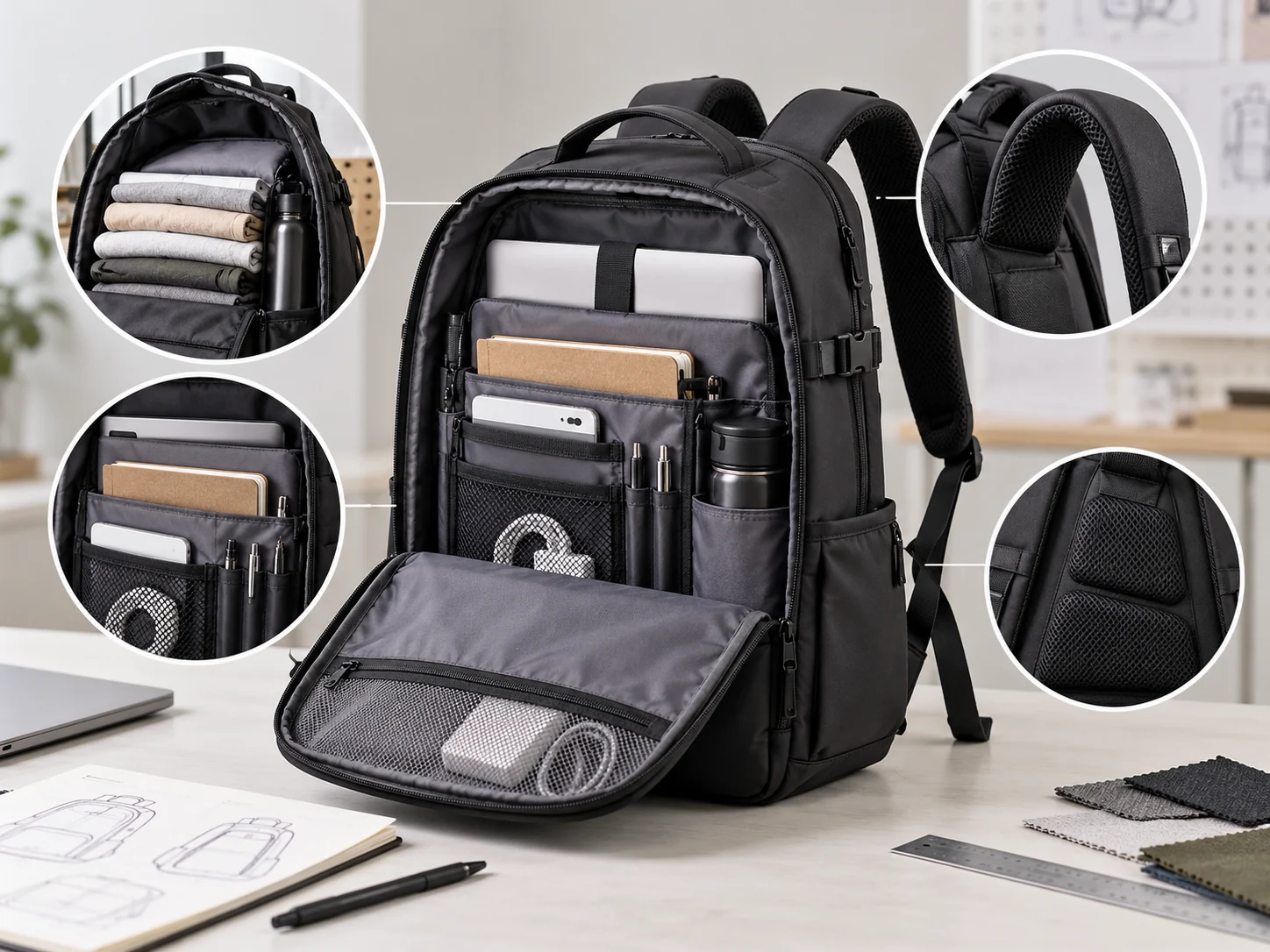
Instead of counting pockets, look for useful storage zones.
Five zones cover most student needs
- A main compartment for books, notebooks, lunch, and larger objects
- A laptop or device area close to the back
- A small-item organizer for chargers, pens, and cables
- A quick-access pocket for frequently used items
- An external bottle pocket to separate liquids from electronics and paper
A second bottle pocket can hold an umbrella, and a hidden pocket can be useful for a wallet or passport. These are worthwhile when they match your routine—not because a longer specification list looks better.
Put each item where its weight and access make sense
| Item | Best position | Why |
| Laptop | Padded area closest to the back | Keeps a heavy, flat object stable and protected |
| Textbooks | Main compartment, also near the back | Prevents the load from pulling outward |
| Charger and cables | Small organizer or pouch | Reduces tangles and makes them easier to find |
| Phone, ID, and earbuds | Upper quick-access pocket | Easy to reach without unpacking the bag |
| Keys | Pocket with a clip or a consistent small section | Stops them settling at the bottom or scratching electronics |
| Water bottle | Secure external side pocket | Separates possible leaks from the contents |
| Wallet or passport | Hidden or back-facing pocket | Adds security in crowded spaces |
When multi-pocket design becomes too much
Every extra compartment requires material, seams, and often another zipper. That can:
- Increase the empty weight
- Take volume away from the main compartment
- Make the bag rigid even when lightly packed
- Create more places to search for a small item
- Add more components that can wear or fail
A good multi-pocket backpack makes common actions easier. If the layout requires you to remember which of six similar zippers contains your charger, it is not necessarily better organized.
External pockets are fastest to access but more exposed to rain, accidental opening, and theft. Internal pockets are safer and visually cleaner but require opening the bag. Decide which items you reach for repeatedly during the day and reserve external access for those.
Comfort Matters Most After the Backpack Is Full
A backpack may feel excellent when it is empty in a store. The real test begins after adding a laptop, books, water, and food.
Check the empty weight
Thick padding, several fabric layers, metal hardware, rigid panels, and multiple zippers can make a feature-rich backpack heavy before anything goes inside it.
Consider each feature as a trade-off. A separate laptop compartment may justify its weight if you use it constantly. A third major compartment may not. The goal is not the lightest possible bag, but a bag whose added weight produces a benefit you will actually use.
Examine the shoulder straps
Good shoulder straps should be wide enough to distribute pressure and have padding that rebounds instead of flattening immediately. The adjustment hardware should hold its position under load.
Also look at where the straps attach to the top of the bag. Reinforcement matters because this area repeatedly carries the combined weight of the backpack and everything in it. A strap can be thick and comfortable yet still fail early if its attachment is weak.
Strap spacing matters too. Straps set very wide may slip from narrow shoulders; straps set too close can rub the neck.
Keep heavy items close to your back
Place the laptop and heaviest books against the back panel. If dense items sit at the outer front of a deep backpack, they pull the load away from your body and make it feel heavier.
This is another reason not to evaluate pockets in isolation. A well-placed laptop compartment contributes to both device protection and load balance.
What can a ventilated back panel actually do?
Mesh, channels, and raised foam sections can improve airflow and reduce the amount of fabric touching the body. They cannot eliminate sweating during a hot walk across campus. Treat ventilation as a comfort improvement, not a promise of a dry back.
Do you need a sternum strap?
A sternum strap can help stabilize shoulder straps during cycling, long walks, or regular heavy loads. It is useful when straps tend to slide outward. A student who carries a light bag between nearby buildings may rarely use it.
Materials and Construction to Check Before Buying
Material names can suggest how a backpack will behave, but construction quality matters just as much.
Polyester, nylon, or canvas?
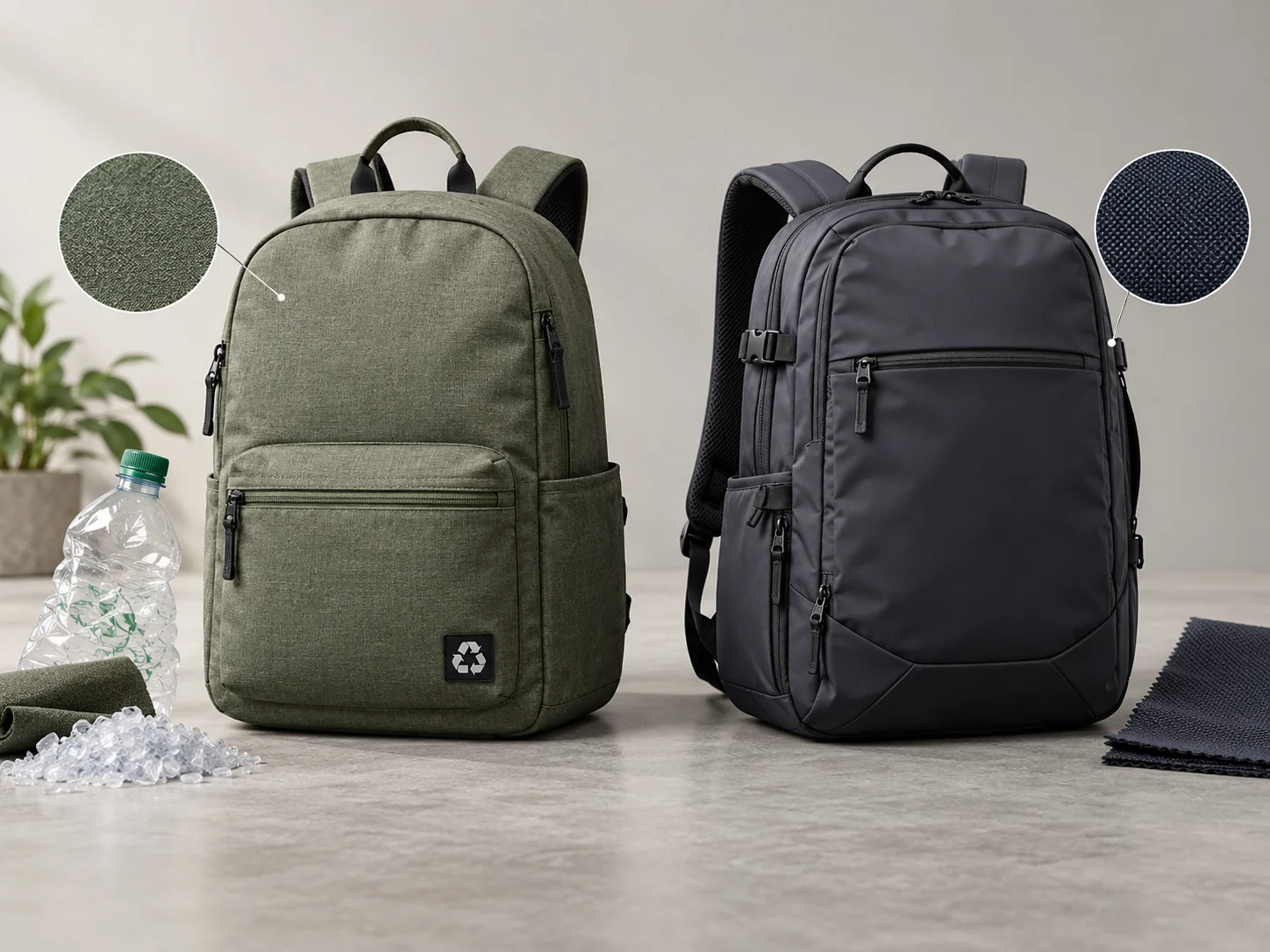
Polyester offers a broad range of weights, finishes, and price points. It is commonly used because it balances durability, color options, and cost.
Nylon is often selected for lighter or more performance-oriented bags. Depending on the weave and specification, it can provide strong abrasion resistance without excessive weight.
Canvas has a natural texture and can create a more structured or casual look. Heavier canvas may increase the empty weight, and untreated cotton canvas can absorb water more readily than coated synthetic fabric.
The fiber name alone is not enough. Fabric weight, weave, coating, lining, reinforcement, and sewing all affect the final backpack.
Water-resistant does not mean waterproof
A water-resistant fabric can handle light rain or splashes for a limited period. Water can still enter through ordinary zippers, needle holes, seams, and openings.
A truly waterproof construction needs more than coated fabric; it may require sealed seams and water-resistant or waterproof closure systems. For most campus routines, reliable water resistance plus sensible handling may be sufficient. Students who cycle in heavy rain should inspect the complete construction rather than trusting a single product label.
Check the points that usually work hardest
Pay close attention to:
- Shoulder-strap attachments
- The top carry-handle base
- Main zipper corners
- Bottle-pocket edges
- The bottom panel
- Internal divider seams
Look for clean stitching, reinforcement where loads concentrate, and zippers that move smoothly around corners. Check whether the lining feels securely attached rather than loose and easy to catch in a zipper.
A reinforced or padded base can improve durability and protect the contents, but a very rigid base also adds weight. If you want the backpack to stand upright, test it while loaded; an empty product photo does not show how it behaves with a laptop and bottle inside.
Match the Backpack to Your College Routine
There is no single best layout for every student. The following profiles are more useful than a universal feature checklist.
For a student living on campus
Prioritize low empty weight, a compact profile, basic laptop protection, and easy access to daily essentials. You may not need travel features or a very large main compartment if you can return to your room between classes.
For a commuter student
Look more closely at full-day capacity, shoulder comfort, bottle security, weather resistance, and access to a transit card, phone, or keys. A separate laptop opening can be helpful when the main compartment is tightly packed.
For a STEM, architecture, or design student
Confirm the dimensions of a larger laptop and any folders, drawing pads, calculators, or tools. A roomy main compartment can be more useful than many narrow dividers. Do not assume a tall laptop sleeve can also accommodate wide documents.
For classes plus the gym
Allow space for clothing and shoes without forcing them against the laptop. A separate shoe or wet-item section can help, but it also occupies space when not in use. A removable pouch may be more flexible for students who visit the gym only occasionally.
For college and weekend travel
A clamshell or wide-opening main compartment, luggage pass-through, and fewer but larger storage areas can make packing easier. Make sure these travel features do not make the backpack unnecessarily deep or heavy for five ordinary class days each week.
A Quick College Backpack Checklist
Before you decide, ask:
- Does the sleeve fit my laptop’s actual width, height, and thickness?
- Does it still fit when the laptop is in its protective case?
- Is there padding below the laptop, not just behind it?
- Can the bag hold everything from my busiest normal college day?
- Are the heaviest items positioned close to my back?
- Can I reach my ID, phone, or keys without searching through the main compartment?
- Is the water bottle held securely and separated from electronics?
- Is the empty backpack reasonably light?
- Are the shoulder straps comfortable, adjustable, and securely attached?
- Does the layout still work when one compartment is full?
- Are the bottom, handle, strap attachments, and zipper corners well constructed?
- Will I still want to use this bag for work or travel after college?
Common Mistakes When Choosing a College Backpack
Buying the largest backpack “just in case”
Extra capacity feels reassuring, but it can create a bulky daily carry and encourage overpacking. Choose for your busiest recurring day, then use a separate solution for rare loads.
Choosing by screen size alone
“Fits a 15-inch laptop” is not precise enough. Compare the actual device and sleeve dimensions, including the opening and protective case.
Assuming more pockets mean better organization
Organization comes from putting frequently used items in predictable, accessible places. Ten poorly shaped pockets can be less helpful than one good organizer and one quick-access pocket.
Ignoring the empty weight
A heavy backpack does not become lighter after adding textbooks. Decide whether each layer, compartment, and piece of hardware earns its place.
Testing comfort only when the bag is empty
If possible, load the backpack with items similar in size and weight to what you carry. Check shoulder pressure, strap slippage, balance, and whether hard objects press into your back.
Paying for travel features you rarely use
Expansion zippers, luggage straps, and multiple access points can be valuable, but they also add complexity. College and travel can share one backpack when the routines genuinely overlap; otherwise, daily usability should come first.
Frequently Asked Questions
Is a 20L backpack big enough for college?
Yes, for students who carry a laptop or tablet, a notebook, a charger, a water bottle, and a few essentials. It may feel tight if you regularly add textbooks, lunch, a jacket, or gym clothing.
Is a 30L backpack too big for college?
Not for a long commuter day, heavy course load, or classes combined with work or the gym. For a light campus schedule, 30L may be bulkier than necessary. Check the backpack’s actual dimensions as well as its capacity.
Can every 15-inch laptop fit in a 15-inch sleeve?
No. Screen size is a diagonal measurement, while laptop bodies differ in width, height, and thickness. Always compare the actual device dimensions with the sleeve’s internal dimensions.
How many compartments should a college backpack have?
There is no ideal number. Most students can organize effectively with a main compartment, a protected device area, a small-item organizer, a quick-access pocket, and a secure bottle pocket. Add other sections only when they solve a recurring need.
Should a college backpack have one or two main compartments?
One main compartment offers more flexible space for bulky items. Two can make it easier to separate books, electronics, or clothing, but each divider takes up room. Choose according to what you carry and how often you need separate access.
Do college students need a waterproof backpack?
Not always. Reliable water resistance is enough for many students dealing with short walks and occasional light rain. Regular cycling, long outdoor commutes, or a very wet climate justify closer attention to zippers, seams, and full-bag waterproofing.
Can the same backpack work for college and travel?
Yes, especially for short trips, but there is a compromise. Travel-friendly capacity and wide openings can be useful, while extra depth, hardware, and compartments may make the bag less comfortable for everyday classes. Choose according to which use happens most often.
Choose Around Your Routine, Not the Feature Count
A good college backpack begins with four practical decisions:
- Measure the laptop you will actually carry.
- List the belongings from your busiest normal day.
- Choose enough capacity for that load without excessive spare space.
- Select pockets according to how often and where you use each item.
After that, evaluate the backpack while imagining it full. The laptop and books should sit close to your back, liquids should be kept away from electronics, and the straps should distribute the complete load comfortably.
The right backpack does not need to perform every possible task. It needs to make your real college day simpler—without making you carry more bag than you need.