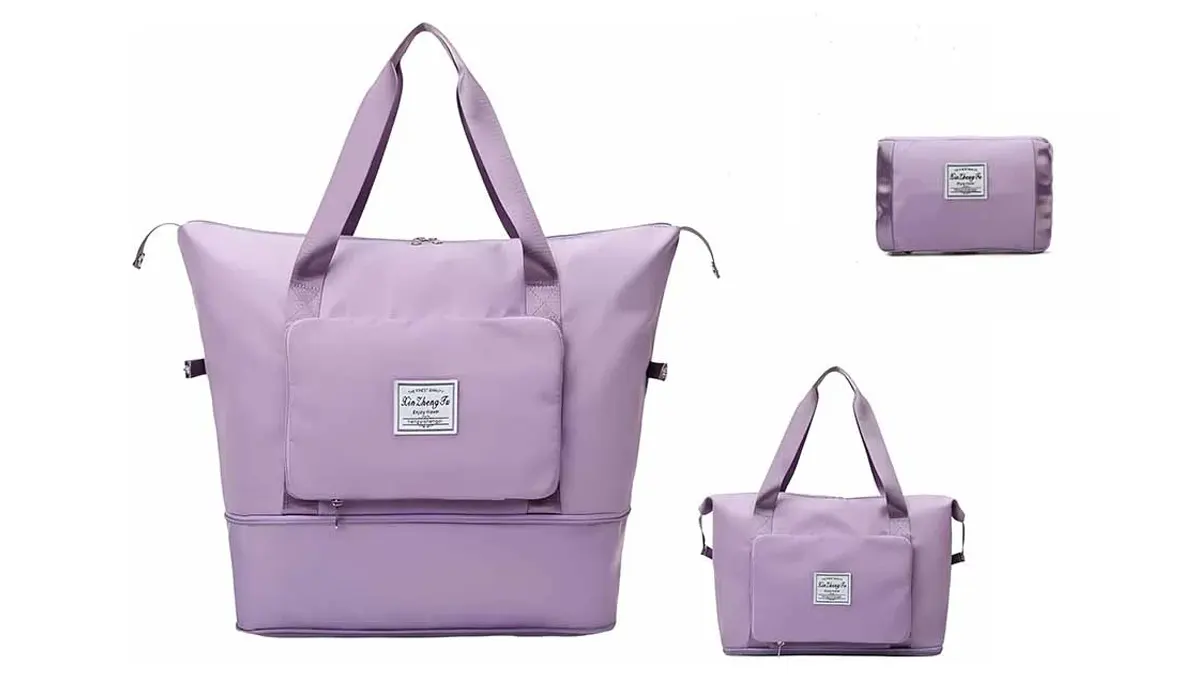
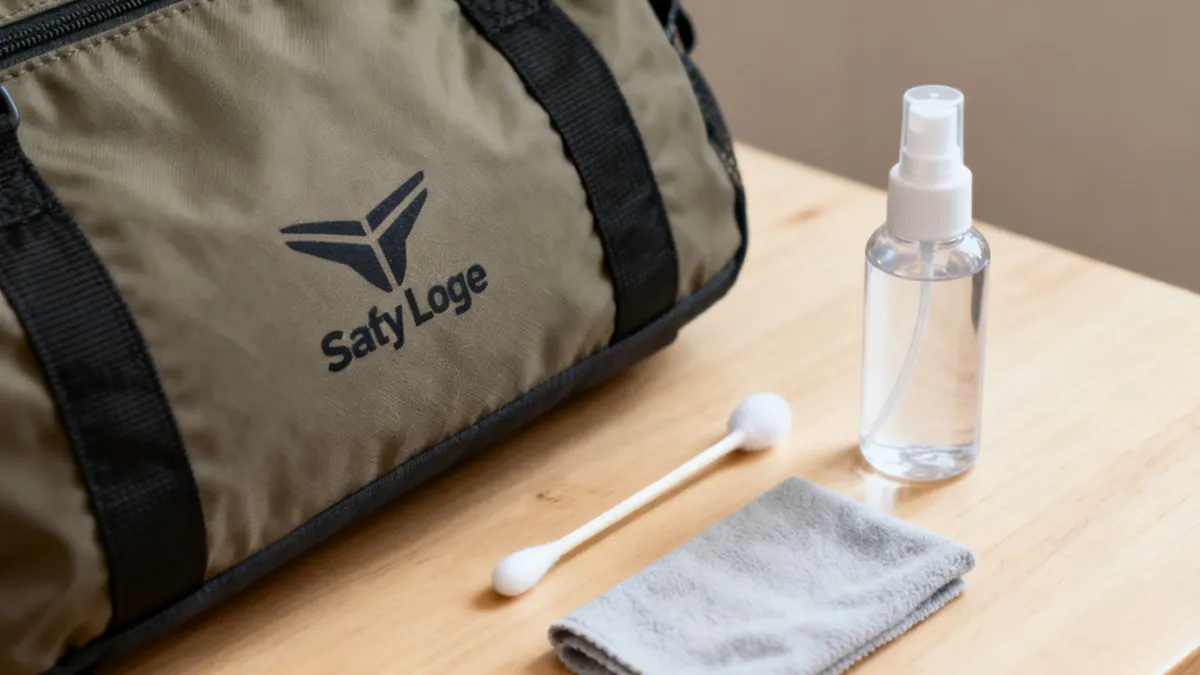
You might wonder if you can remove a logo from your nylon bag without causing damage. The answer is yes! You have several options, but the safest diy method depends on the print and the nylon type. Some prints come off easily, while others need more care. If you want to know how to remove printed logo from nylon bag, just remember to test first and stay patient. You can often get great results with a gentle touch.
Key Takeaways
- You can take logos off nylon bags safely. The way you do it depends on the logo and nylon type. Always try your method on a hidden spot first. This helps you not damage the bag.
- Heat transfer works for glued or screen-printed logos. Use a hair dryer or iron on low heat.
- Solvent-based ways, like rubbing alcohol, work for light screen-printed logos. Be careful when you use these.
- Commercial ink removers help with tough logos. Read the label and test on a hidden spot first.
- If the logo will not come off or the nylon gets damaged, get professional help. This keeps your bag safe.
- Clean your bag often and use fabric protectors. This helps your nylon bag look good after logo removal.
- You can also add embroidery or digital prints. This gives your bag a new look after you take off a logo.
Can You Remove Logos from Nylon Bags?
You might look at your nylon bag and wonder if you can actually get rid of that printed logo. The answer depends on a few things. Some logos come off with a little effort, while others seem stuck for good. Let’s break down what matters most.
Types of Printed Logos
Not all logos are the same. You’ll find a few common types on nylon bags:
- Screen-printed logos: These use special inks, like plastisol, that stick well to nylon. Sometimes, a nylon catalyst helps the ink bond even better.
- Heat transfer prints: These logos get pressed onto the bag using heat. They can be tricky because heat makes them stick tight.
- Sublimation prints: These use heat to dye the fabric itself. The color becomes part of the nylon, so it’s very hard to remove.
You can usually spot the difference by feeling the logo. Screen prints feel a bit raised. Heat transfers might feel smooth and shiny. Sublimation prints feel like part of the fabric.
Factors Affecting Removal
Several things decide if you can remove logos from your bag. Here are the most important ones:
- The type of ink used. Some inks, like plastisol, need special chemicals or heat to remove.
- How the ink was cured. If the logo was baked on, it will be harder to remove.
- The kind of nylon. Smooth nylon lets you remove prints more easily than coarse nylon.
- The texture of the bag. A rough surface holds onto ink more tightly.
- The method you use. Some shops use dry cleaning adhesive solvents to fix mistakes, which shows that the right product can make a big difference.
Tip: Always test your removal method on a hidden spot first. This helps you avoid damage or color loss.
When Removal Isn’t Possible
Sometimes, you just can’t remove a logo without harming your bag. Here’s when that happens:
- The ink is baked deep into the fabric. These logos resist all normal removal tricks.
- The bag’s nylon is very thin or delicate. Heat or chemicals might melt or burn it.
- You try to use heat on synthetic fabrics. This can cause permanent damage.
- The color of the bag isn’t stable. Removing the logo could fade or change the color.
- Textile experts suggest always doing a patch test before you try to remove anything. If you see melting, fading, or rough spots, it’s best to stop.
If you run into these problems, you might want to leave the logo or cover it up instead. Sometimes, professional help is the safest choice.
How to Remove Printed Logo from Nylon Bag: Methods Overview
When you want to know how to remove printed logo from nylon bag, you have a few main removal methods to try. Each method works best for certain types of prints and bags. Let’s look at the most common ways you can tackle this job.
Heat Transfer
Heat is one of the most popular methods for removing logos from nylon bags. You can use a hair dryer or an iron to soften the adhesive or ink. This method works well for glued-on or screen-printed logos. When you apply heat, the logo starts to loosen. You can then gently peel or lift it away from the nylon.
How to do it:
- Place a thin cloth over the logo.
- Use a hair dryer or iron on low heat.
- Move the heat source in circles for a few minutes.
- Try to lift the edge of the logo with your fingernail or a plastic scraper.
Tip: Always test the heat on a hidden part of your bag first. Nylon can melt if it gets too hot.
Heat transfer is a great choice if you want to avoid harsh chemicals. It is gentle on most bags, but you need to watch the temperature. If you see the nylon start to wrinkle or shine, stop right away.
Solvent-Based Removal
Solvent-based removal methods use chemicals to break down the ink or adhesive. You might use acetone, vinegar, or a special ink remover. These methods work best for plastic, metal, or vinyl logos. For stubborn logos, you can soak a cotton ball in acetone and cover the area with foil for 10-15 minutes. After soaking, scrub gently to remove the print.
How to do it:
- Dab a small amount of solvent on the logo.
- Let it sit for a few minutes.
- Wipe or scrub the area with a soft cloth.
Some commercial products, like Albachem’s VLR solvent, are made for dissolving tough vinyl or silkscreened logos. These products can be very effective, but you should always test them on a hidden spot first. Some solvents can damage nylon or cause color fading.
Note: Never use strong chemicals without gloves and good ventilation. Some solvents have strong fumes.
Rubbing Alcohol
Rubbing alcohol is a simple and safe way to remove some printed logos. It works best for screen-printed logos with light ink. Alcohol helps dissolve the adhesive or ink, making it easier to wipe away. This method is gentle and less likely to harm your nylon bag.
How to do it:
- Pour a small amount of rubbing alcohol on a cotton pad.
- Dab the logo area and let it soak for a minute.
- Rub gently in circles until the print starts to fade.
Rubbing alcohol is easy to find and safe for most fabrics. It may not work for every logo, but it is a good first step if you want to avoid stronger chemicals.
Remember: No matter which method you choose, always test it on a hidden area first. This helps you avoid damage or color loss.
If you want to know how to remove printed logo from nylon bag, these methods give you a good starting point. Try the one that matches your bag and logo type. If one method does not work, you can try another. With patience and care, you can often remove or reduce the logo without harming your bag.
Commercial Ink Removers
Sometimes, you just want a product that does the hard work for you. That’s where commercial ink removers come in. These products are made to break down tough inks and adhesives on fabrics like nylon. You can find them online or at craft stores. Some popular brands include Goo Gone, AlbaChem VLR, and Motsenbocker’s Lift Off.
When should you use a commercial ink remover?
If you’ve tried heat or rubbing alcohol and the logo still won’t budge, it’s time to bring out the big guns. Commercial ink removers work best on stubborn screen-printed or heat transfer logos. They can even tackle old, set-in prints that other methods can’t touch.
Here’s how you can use a commercial ink remover safely:
- Read the label first. Every product is a little different. Some work better on certain inks or fabrics.
- Test on a hidden spot. Dab a tiny bit on the inside seam or bottom of your bag. Wait a few minutes to see if the nylon changes color or texture.
- Apply the remover. Use a cotton swab or soft cloth. Gently rub the remover onto the logo. Don’t soak the fabric—just dampen it.
- Let it sit. Give the remover a few minutes to break down the ink.
- Wipe away the logo. Use a clean cloth to lift the ink. You might need to repeat this step for stubborn prints.
- Rinse the area. Wash off any leftover remover with mild soap and water. Dry the bag with a towel.
Tip: Always wear gloves when using commercial ink removers. Some products have strong smells, so open a window or work outside if you can.
Here’s a quick comparison of popular ink removers:
| Product Name | Best For | Caution |
|---|---|---|
| Goo Gone | Light screen prints | May leave oily residue |
| AlbaChem VLR | Vinyl & plastisol inks | Strong fumes—ventilate well |
| Motsenbocker’s Lift Off | Water-based inks | Test for colorfastness |
You don’t need to rush. Take your time and check your progress as you go. If you see the nylon changing or the color fading, stop right away. Sometimes, a logo just won’t come off completely. In that case, you can try covering it up or customizing your bag instead.
Materials Needed to Remove Logos
Getting ready to remove a logo from your nylon bag is much easier when you have the right supplies. You do not need fancy equipment, but a few simple tools and safe products can make the job smoother and safer.
Tools for Each Method
Different methods call for different tools. Here’s a handy list to help you pick what you need:
- Seam ripper – Great for cutting stitches if the logo is embroidered.
- Tweezers – Helps you pull out loose threads or small pieces of print.
- Scissors – Use these to trim any leftover threads.
- Stitch eraser – This electric tool works fast on embroidery.
- Iron with pressing cloth – Use this for heat transfer methods. The cloth protects your nylon from direct heat.
- Mild detergent – Cleans up any leftover residue.
- Soft-bristled brush – Gently scrubs away ink or adhesive.
- Clean cloth – Wipes off solvents or water.
Tip: Always keep a small bowl of water nearby. If you see the nylon start to change color or texture, dab it with water right away to cool it down.
Safe Cleaning Products
You want to keep your nylon bag looking its best. That means using cleaning products that are gentle and safe. Here are some good choices:
- Hand wash your bag in warm water with mild soap. Turn the bag inside out for better cleaning.
- Always line dry your bag. This helps prevent heat damage.
- Look for cleaning products that meet the Green Seal Standard GS-53. These products are tested for safety and work well on specialty fabrics like nylon.
Products with the Green Seal mark are safer for you and the environment. They also help protect your bag from harsh chemicals.
Choosing the Right Supplies
Picking the right supplies depends on the type of logo and the method you want to try. Here’s a quick table to help you decide:
| Logo Type | Best Tools | Cleaning Product |
|---|---|---|
| Embroidered | Seam ripper, tweezers | Mild detergent |
| Heat transfer | Iron, pressing cloth | Green Seal soap |
| Screen-printed | Soft brush, clean cloth | Rubbing alcohol |
If you are not sure which method to use, start with the gentlest tools and products. You can always try something stronger if the logo does not come off. Remember, your goal is to remove the logo without harming your nylon bag.
If you ever feel stuck, ask a professional for help. Sometimes, a little expert advice saves your bag from damage.
Step-by-Step: Heat Transfer Method
Prepare the Bag
Before you start, you want your nylon bag clean and flat. Dirt or dust can get in the way and make the process harder. Lay your bag on a smooth, heat-safe surface. If you have a Teflon pillow or a grip flex pad, place it inside the bag. These tools help protect the nylon from too much heat and keep the surface even. You can also use a folded towel if you do not have special pads.
Tip: Always check the care label on your bag. Some nylon bags are more sensitive to heat than others.
Make sure the logo area is easy to reach. Smooth out any wrinkles with your hands. If you see any loose threads, trim them with scissors. Now you are ready for the next step.
Apply Heat Safely
You need to use the right amount of heat to loosen the logo without hurting your bag. Set your iron or heat press to a low temperature. Most nylon bags do best at 230 to 245°F. Never go above 285°F. Too much heat can melt or warp the nylon.
If you use an iron, set it to the lowest setting. Place a thin cloth or parchment paper over the logo. This protects the nylon from direct heat. Press down gently and keep the heat moving in small circles. Hold the heat on the logo for about 20 to 25 seconds. If you use a heat press, set the pressure to medium and keep it even.
Some people like the heat and paper bag method. For this, place a plain paper bag over the logo before you use the iron. The paper bag can help soak up some of the ink as it loosens.
Note: For best results, use firm pressure (about 8-9 on a Hotronix or 50-60 psi on an automatic press) and peel the carrier sheet off while it is still hot.
Remove the Logo
After you apply heat, check if the edges of the logo start to lift. Use your fingernail or a plastic scraper to gently peel up one corner. Go slow and steady. If the logo does not come up, apply a little more heat for a few seconds. Do not rush. Pull the logo away from the nylon as it softens.
If you see any sticky spots or leftover ink, you can repeat the process. Sometimes, you need to use a soft cloth to wipe away small bits. Always let the bag cool before you touch the area again.
Tip: If the logo does not come off after a few tries, stop and let the bag rest. Too much heat can damage the nylon.
Now you have finished the main steps to remove a printed logo using heat. Your bag should look much better, and you have kept it safe from harm.
Clean Residue
You just removed the logo, but you might see sticky spots, leftover ink, or a faint outline. Cleaning up the residue is the last step to make your nylon bag look fresh again. You want to do this gently so you don’t damage the fabric.
Here’s a simple way to clean up after logo removal:
- Empty Your Bag
Take everything out. Shake the bag to get rid of loose bits. - Brush Off Loose Dirt
Use a soft-bristle brush or a dry cloth. Sweep away any dust or tiny pieces left behind. - Spot Test First
Pick a hidden corner of your bag. Dab a little cleaning product there. Wait a few minutes. Make sure the color stays the same and the nylon doesn’t change texture. - Hand Wash the Surface
Mix a few drops of mild dish soap or baby shampoo with lukewarm water. Dip a clean cloth in the mix. Wipe the area where the logo was. Move in gentle circles. - Target Stubborn Stains
If you see sticky glue or ink, grab a soft toothbrush. Dip it in the soapy water. Scrub the spot lightly. For tough ink stains, you can use a tiny bit of rubbing alcohol on a cotton swab. Don’t rub too hard. - Rinse Wisely
Wet another clean cloth with plain water. Wipe the area to remove any soap or cleaning agent. You don’t want soap to dry on the nylon. - Let It Air Dry
Lay your bag flat on a clean towel. Put it in a spot with good airflow, but keep it out of direct sunlight. Sun can fade nylon or make it brittle.
Tip: If you notice a sticky feeling after cleaning, sprinkle a little baking soda on the spot. Let it sit for 10 minutes, then brush it off gently.
Here’s a quick look at the best cleaning agents for nylon bags:
| Cleaning Agent | Best Use | Notes |
|---|---|---|
| Mild Dish Soap | General cleaning | Safe for most nylon bags |
| White Vinegar | Removing odors | Use diluted with water |
| Baking Soda | Tackling sticky spots | Brush off after use |
| Baby Shampoo | Gentle cleaning | Good for delicate nylon |
| Rubbing Alcohol | Ink stains | Use sparingly, spot test |
You don’t need fancy products. Most of these items are already in your kitchen or bathroom. Just remember to go slow and check your bag as you clean. If you see any changes in color or texture, stop and rinse with water.
When you finish, your nylon bag should look smooth and clean. You’re ready to use it again or show off your new custom look!
Step-by-Step: Solvent and Alcohol Methods
Test on Hidden Area
Before you start, you want to make sure your nylon bag will not get damaged. Pick a spot that nobody sees, like the inside seam or the bottom corner. Dab a little bit of rubbing alcohol or WD-40 on that area. Wait a few minutes. Check for any changes in color or texture. If the nylon looks the same, you can move on. If you see fading or roughness, stop right away.
Tip: Always test first. Nylon can react in surprising ways to different chemicals.
Apply Acetone or Alcohol
You might think acetone works fast, but it is actually too strong for nylon. Acetone can melt or weaken the fabric. Instead, reach for rubbing alcohol or WD-40. These are much gentler and safer for your bag.
Here’s how you can apply alcohol or WD-40:
- Put on gloves. Solvents can irritate your skin.
- Open a window or work outside. Fresh air helps you avoid breathing in fumes.
- Pour a small amount of rubbing alcohol or WD-40 onto a cotton pad.
- Gently dab the printed logo. Do not soak the fabric. Just dampen the area.
You want to let the solvent sit for about one minute. This gives it time to break down the ink or adhesive. Keep an eye on the spot. If you see the print start to fade or lift, you are on the right track.
| Solvent | Safe for Nylon | How to Use | Notes |
|---|---|---|---|
| Acetone | No | Avoid | Damages nylon |
| Rubbing Alcohol | Yes | Dab, wait, rub | Gentle, effective |
| WD-40 | Yes | Dab, wait, rub | Good for adhesives |
Note: Never rush. Slow and gentle works best when you want to protect your bag.
Lift the Print
Once the solvent has done its job, you can start to remove the logo. Use a soft cloth or a cotton swab. Rub the area in small circles. You might see the ink coming off onto the cloth. If the print is stubborn, add a little more alcohol and try again. Do not scrub hard. Nylon can fray or pill if you use too much force.
If you notice the logo fading but not disappearing, repeat the process. Sometimes, you need to work in layers. Patience pays off. You want your bag to look clean and fresh, not worn out.
Always wear gloves and wash your hands after you finish. Solvents can linger on your skin.
When you finish, check the area. If the logo is gone and the nylon looks good, you did it! If there is still a faint outline, you can try covering it with a patch or customizing your bag.
Rinse and Dry
You just finished lifting the print from your nylon bag. Now, you need to rinse and dry the area to keep your bag looking fresh and clean. This step helps remove any leftover solvent, alcohol, or ink. If you skip rinsing, you might see sticky spots or a dull finish. Nylon loves to hold onto residue, so you want to be thorough.
Here’s a simple way to rinse and dry your bag:
- Wipe away residue: Grab a clean, damp cloth. Wipe the spot where you used alcohol or solvent. Move the cloth in gentle circles. Keep wiping until the area feels smooth and clean. You want to get rid of any soap, ink, or chemical traces.
- Pat dry with a towel: Take a soft towel and press it against the damp area. Pat, don’t rub. This step pulls out extra moisture and helps prevent water spots. If you see any leftover ink on the towel, keep patting until the spot looks clear.
- Air-dry in the shade: Lay your bag flat on a dry towel or hang it up. Pick a spot out of direct sunlight. Sunlight can fade the color or make nylon weak. Let the bag air-dry completely. You might need to wait a few hours, but it’s worth it for a smooth finish.
Tip: Never use a hair dryer or heater to speed up drying. High heat can melt nylon or cause wrinkles. Patience gives you the best results.
If you notice a sticky feeling after drying, you can repeat the rinse step. Sometimes, stubborn residue needs a second wipe. You can use a little mild soap mixed with water if the spot feels greasy. Just remember to rinse again with a clean, damp cloth.
Check your bag once it’s dry. Run your hand over the area. If it feels soft and looks even, you did a great job. If you see a faint outline of the old logo, don’t worry. You can try a gentle cleaning again or cover the spot with a patch or custom design.
Here’s a quick table to help you remember the best drying spots for nylon bags:
| Drying Method | Safe for Nylon | Notes |
|---|---|---|
| Air-dry in shade | Yes | Prevents fading and damage |
| Sunlight | No | Can fade or weaken fabric |
| Dryer machine | No | May melt or shrink nylon |
You want your nylon bag to look its best. Rinsing and drying the right way keeps the fabric strong and the colors bright. Take your time, and your bag will be ready for its next adventure!
Methods for Removing Screen Printing: Safety and Precautions
Risks to Nylon
When you try to remove screen printing from a nylon bag, you need to watch out for a few risks. Nylon is a strong fabric, but it can react badly to heat and chemicals. If you use too much heat, the nylon might melt or get shiny spots. Sometimes, the fabric can even shrink or lose its shape. Chemicals can also cause trouble. Some will make the nylon stiff or brittle. Others might fade the color or leave behind stains. If you scrub too hard, you could damage the surface and make the bag look worn out. Always go slow and check your progress as you work.
Tip: If you see the nylon changing color or texture, stop right away. Let the area cool down or rinse it with water.
Chemicals to Avoid
Not every cleaner is safe for nylon. Some chemicals can ruin your bag in just a few minutes. Here are some you should never use when you want to remove screen printing:
- Acetone: This strong solvent can melt nylon fibers. It leaves holes or weak spots.
- Bleach: Bleach breaks down the fabric and causes yellow stains.
- Paint thinner: This chemical is too harsh and can dissolve the nylon.
- Strong industrial cleaners: These often contain ingredients that eat away at synthetic fabrics.
Stick to gentle products like rubbing alcohol or mild soap. If you want to try a new cleaner, always test it on a hidden spot first.
Note: Wear gloves and work in a well-ventilated area. Some fumes can make you feel sick.
Test for Colorfastness
Before you remove screen printing, you need to check if the color on your nylon bag will stay put. This step helps you avoid fading or color bleeding. Here’s a simple way to test for colorfastness:
- Prepare a small test spot on your bag, like an inside seam.
- Dampen a white cloth with water or rubbing alcohol.
- Press the cloth onto the test spot for a few seconds.
- Check the cloth for any color transfer.
If you see color on the cloth, your bag is not colorfast. You should not try to remove screen printing with strong methods. If the color stays put, you can move forward.
Some factors make nylon more colorfast:
- Dye type: Reactive dyes hold color better than direct dyes.
- Dye quality: High-quality dyes resist fading.
- Application method: Proper dyeing keeps color strong.
Professional labs use special tests for colorfastness. They prepare samples, use controlled temperature and humidity, and compare results with a gray scale. At home, your simple test gives you a good idea of what to expect.
Alert: If your bag fails the colorfastness test, consider covering the logo instead of trying to remove it.
When to Get Professional Help
Sometimes, you just can’t get that screen-printed logo off your nylon bag by yourself. That’s okay! Knowing when to call in a pro can save your bag from damage and save you a lot of stress. Let’s look at the signs that tell you it’s time to get help.
Signs You Need a Professional
- The logo won’t budge: You’ve tried heat, alcohol, and gentle scrubbing, but the print stays put.
- The nylon starts to change: You see melting, shiny spots, or the fabric feels rough or thin.
- Color starts to fade: The bag’s color rubs off onto your cloth or looks lighter after testing.
- The bag is expensive or sentimental: You don’t want to risk ruining a favorite or pricey bag.
- You feel unsure: You’re not confident about using chemicals or heat, or you just feel nervous.
Tip: If you see any damage starting, stop right away. Professionals have special tools and know-how to fix problems before they get worse.
What Can a Professional Do?
A professional cleaner or restorer can do things you can’t do at home. They use special solvents, machines, and techniques that protect nylon. They know how to test for colorfastness and fabric strength. Some even offer custom repairs or can cover up the old logo with a new design.
Here’s a quick table to help you decide:
| Situation | DIY or Pro? |
|---|---|
| Logo lifts with gentle heat | DIY |
| Nylon melts or shrinks | Professional |
| Color rubs off during testing | Professional |
| Bag has high value | Professional |
| You feel confident and careful | DIY |
| You feel unsure or worried | Professional |
How to Find the Right Help
- Search for local cleaners: Look for shops that handle specialty fabrics or bags.
- Ask about experience: Make sure they know how to work with nylon and screen prints.
- Read reviews: Check what other customers say about their work.
- Get a quote: Ask about the cost before you agree to anything.
Note: Some bag brands offer repair or customization services. Check the brand’s website or contact customer support for advice.
You don’t have to do everything yourself. Sometimes, the best way to save your nylon bag is to let an expert handle it. You’ll get peace of mind and a bag that looks its best!
Aftercare and Customization Options
Restore Bag Appearance
You just finished working hard to remove a logo from your nylon bag. Now, you want your bag to look its best. Taking care of your bag after logo removal helps it stay clean and last longer. Here are some simple steps you can follow:
- Clean your nylon bag regularly with a soft cloth and mild soap. This keeps dirt and stains away.
- Spray a quality fabric protector on your bag. This creates a barrier that helps block water and stains.
- Reapply the fabric protector every few months, especially after you deep clean your bag.
- Try not to put your bag on dirty or wet surfaces. This keeps the bottom from getting stained.
- Use small pouches inside your bag for things like pens or drinks. This stops spills from making a mess.
Tip: If your bag looks wrinkled after cleaning, stuff it with towels and let it air dry. This helps it keep its shape.
Prevent Future Prints
You want to keep your nylon bag looking fresh. Sometimes, new prints or stains can stick to the fabric if you are not careful. Here are some ways to stop that from happening:
- Place silica desiccant bags inside your bag when you store it. These little packets soak up moisture and help prevent mold or sticky spots.
- Store your nylon bags in a dry, dark place. A cabinet or closet works well and keeps the fabric safe from sunlight.
- If you use your bag for crafts or printing, dry any nylon materials before you use them. You can use a filament drying system or even an oven set to 160°F to 180°F for several hours. Always watch the temperature so the nylon does not warp.
Note: Keeping your bag dry and away from heat helps stop new prints or stains from sticking.
Customization and Replacement
After you remove a logo, you might want to give your nylon bag a new look. There are many fun ways to customize your bag or even replace it if you want something different. Here are some popular options:
- Embroidery adds a fancy touch. You can stitch your name or a cool design for a premium feel.
- PWM digital print technologies let you add colorful patterns or even photos. This works great for creative styles.
- You can choose where to put a new logo. Try a small patch for a simple look or a big print if you want to stand out.
- Some brands offer special fabric blends or unique hardware. This lets you match your bag to your own style.
- Ready-made wholesale tote bags come in lots of shapes and sizes. These are perfect if you want a quick replacement or need bags for a group.
- Hybrid models mix classic bag shapes with custom branding. You get the best of both worlds.
If you want a bag that is truly yours, try mixing different customization options. You can make your nylon bag one of a kind!
Conclusion
There are a few safe ways to take printed logos off nylon bags. Try your method on a hidden area first. Be gentle with your bag so you do not damage it. Experts say you should check your bag often and follow simple care steps. If you are not sure what to do, ask a professional for help. Want to make your bag special? See what we offer below:
| Service Type | Description |
|---|---|
| Customization | Add your logo, pick materials, and choose cool designs |
| OEM Services | Get bags made in your size, color, and pattern |
| ODM Services | Let us design and make bags just how you want |
We can help you make the best nylon bag for your brand or business!
FAQ
Can you remove any logo from a nylon bag?
You can remove most logos, but some prints, like sublimation, become part of the fabric. If the logo feels raised or smooth, you have a better chance. Always test your method first.
Will removing a logo damage my nylon bag?
If you use gentle methods and test first, you usually avoid damage. High heat or strong chemicals can melt or fade nylon. Go slow and check your progress often.
What’s the safest method to try first?
Start with rubbing alcohol. It’s gentle and works on many screen-printed logos. If that doesn’t work, try low heat or a commercial ink remover. Always test on a hidden spot.
How do I know which removal method to use?
Feel the logo and look at its texture. Raised prints respond to heat. Smooth prints may need solvents. If you’re unsure, try the gentlest method first.
Can I use acetone or nail polish remover?
No, acetone melts nylon and ruins the fabric. Stick with rubbing alcohol or products made for fabric. Always check the label before you use any chemical.
What should I do if the logo won’t come off?
If the logo stays put after gentle tries, stop. You can cover it with a patch or customize your bag. For expensive or sentimental bags, ask a professional for help.
How do I keep my bag looking good after logo removal?
Clean your bag with mild soap and water. Let it air dry in the shade. Use a fabric protector spray to block stains. Store your bag in a dry, cool place.