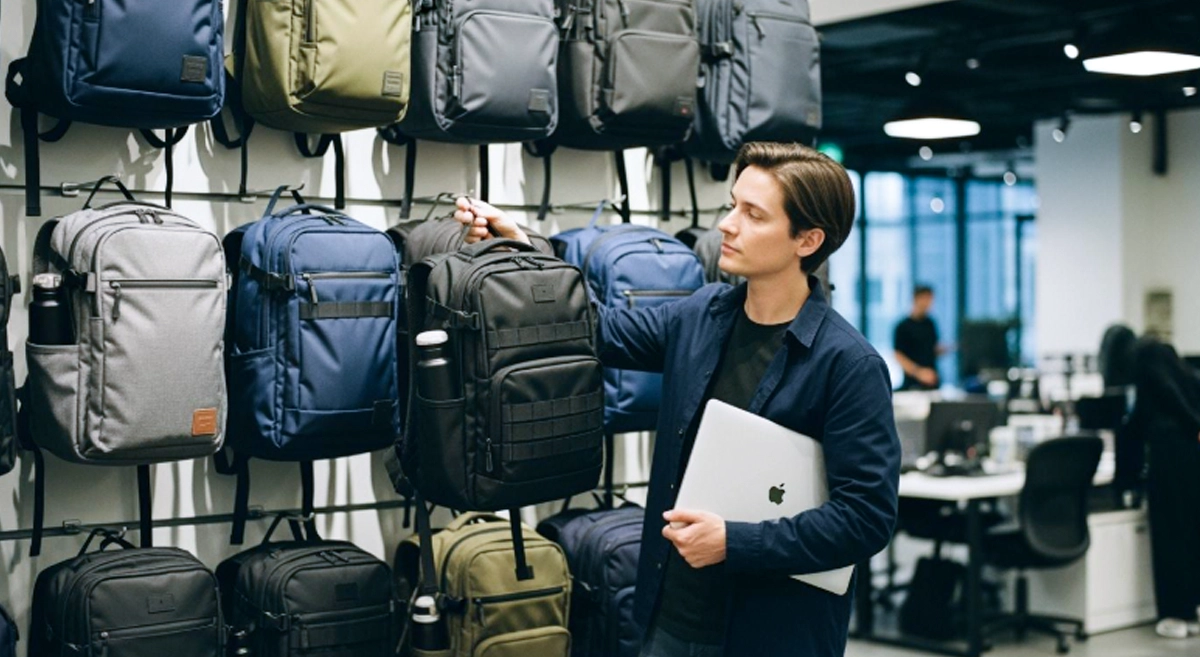
Have you ever felt confused about how to choose a laptop backpack? The best choice depends on your specific needs. Consider your laptop size, the level of comfort you desire, and the features you prefer. First, check your laptop’s size, what you typically carry, and your body shape. Most people prioritize protection, good organization, comfort, durable materials, and a reasonable price. Here is a table that outlines what people care about:
| Factor | Description |
|---|---|
| Protection Standards | Look for padded areas, shock-absorbing materials, secure closures, and water resistance. |
| Organizational Elements | Includes special pockets for accessories, compartments for papers, and easily accessible areas. |
| Comfort Factors | Focus on soft straps, balanced weight distribution, breathable materials, and a design that suits your body. |
Ergonomic features are incredibly beneficial. Most workers report feeling better during commutes when their bag fits properly.
Before you decide how to choose a laptop backpack, think about how you will use it and what features are most important to you.
Key Takeaways
- Find out your laptop size before you shop. A tight fit keeps your device safe from harm.
- Think about how you will use the backpack most. Comfort, neatness, and strength matter for people who travel, go to school, or commute.
- Look for straps with padding and a soft back panel. These parts make it more comfy to carry for a long time.
- Pick a backpack with many pockets. This helps you keep things neat and easy to find.
- Choose materials that resist water. They keep your laptop safe from spills and rain.
- Look for safety features like zippers you can lock and pockets that block RFID. These help protect your things from being stolen.
- Try the backpack in the store if you can. Make sure it fits well and feels good when it has stuff inside.
- Decide how much money you want to spend and check the features. Backpacks that cost more are often stronger and last longer.
Identify Your Use-Case
Commuting
If you take the bus, bike, or walk to work or school, you know a good laptop backpack is important. You want a bag that keeps your device safe and makes your trip easier. Most people who commute care about comfort first. Soft straps and a padded back help you feel better on long trips. You also need a bag that keeps your things organized. Quick-access pockets let you grab your phone or keys fast. The bag should be strong because you use it every day. Water resistance keeps your laptop safe from rain or spills.
Here’s what commuters look for in a laptop backpack:
- Comfort for long trips
- Organization for daily items
- Durability for everyday use
- Water resistance for bad weather
You might also want anti-theft features or an ergonomic shape. These things help you feel safe and comfortable. If you carry a work laptop bag, make sure it fits your device and has space for chargers and notebooks.
Business and Office
If you work in an office or go to meetings, you need a backpack that looks nice and keeps your laptop safe. A business backpack should look simple and neat. You want pockets that are easy to reach for your phone, pens, and cards. Good materials like leather or strong nylon make your bag last longer and look good. Strong zippers keep your things safe.
Check out this table for important features of a business laptop backpack:
| Characteristic | Description |
|---|---|
| Size | 15-25 liters, not too big |
| Design | Simple, neat, easy-to-reach pockets |
| Material | Leather or strong nylon |
| Hardware | Strong zippers, like YKK self-healing |
| Color | Neutral colors, simple style |
A business backpack should match your style and needs. You want something that feels good to wear and looks right for your job. If you travel for work, look for TSA-friendly sleeves and RFID-blocking pockets.
Travel
Do you travel a lot? The right travel laptop bag makes trips easier. You need a backpack that works well in airports, hotels, and busy streets. Strong materials like nylon or tough polyester keep your bag safe from bumps. Water-resistant finishes and strong zippers protect your laptop from rain. Padded straps and handles help you carry your bag for a long time without pain.
Travel experts say these features are best for a travel laptop bag:
- Strong outside that does not wear out fast
- Strong, water-resistant zippers
- Weather protection, sometimes with a rain cover
- Comfortable straps and handles
- USB ports for charging your devices
- Quick-access pockets for passports and tickets
- RFID protection to keep your info safe
You want a bag that fits your needs and makes travel easier. Look for a backpack that keeps your laptop safe and helps you stay organized. If you travel for work or fun, the right bag can help a lot.
Student Life
You walk across campus every day. You carry your laptop, books, and maybe a snack or two. Your backpack needs to keep up with your busy schedule. If you’re a student, you know how important it is to have a bag that fits your lifestyle. You want something that protects your laptop, feels comfortable, and helps you stay organized.
Let’s look at what makes a great laptop backpack for student life:
| Feature | Description |
|---|---|
| Padded Laptop Compartment | Protects your laptop from bumps and drops. Thicker padding means better safety for your device. |
| Separate Laptop Compartment | Lets you grab your laptop quickly, even in crowded lecture halls or tight spaces. |
| Admin Panel | Offers pockets for pens, calculators, and sticky notes. You can find what you need fast during class. |
| Carry Comfort | A good harness system keeps your shoulders from hurting after a long day. |
| Durability | Tough materials help your backpack last through years of school. |
You probably carry more than just your laptop. You might have notebooks, chargers, snacks, and maybe a water bottle. A backpack with lots of pockets helps you keep everything in its place. You don’t want to dig around for your pen when the teacher starts talking. You want to grab it and start writing.
Tip: Choose a backpack with a padded back and wide straps. You’ll feel better after walking from one class to another.
Students often walk long distances. You need a backpack that feels good on your shoulders and back. If your bag is too heavy or doesn’t fit right, you might feel tired or sore. Look for a design that matches your body frame. Some backpacks even have adjustable straps so you can change the fit.
You also want your backpack to last. College life can be rough on your gear. You might drop your bag, spill something, or get caught in the rain. Strong zippers and water-resistant fabric help protect your stuff. If you plan to travel for school events or study abroad, you might want a travel laptop bag that works for both campus and trips.
Some students use their backpack for work, too. If you have a part-time job or internship, you need a work laptop bag that looks professional and keeps your laptop safe. Think about your needs before you buy. Do you need extra space for gym clothes? Do you want a special pocket for your phone? The right backpack makes your day easier and helps you stay organized.
How to Choose a Laptop Backpack
Choosing the best laptop backpack can feel overwhelming, but you can make it simple by breaking it down into steps. You want a bag that matches your needs, fits your laptop, feels good on your back, and keeps your stuff organized. Let’s walk through how to choose a laptop backpack that works for you.
Size and Fit
Laptop Compartment Size
The first thing you should check is the size of your laptop. Not all backpacks fit every laptop. If you pick the wrong size, your device might not fit or could move around and get damaged. The best laptop bag will have a special compartment that matches your laptop’s size. Here’s a quick guide to help you:
| Laptop Size | Backpack Type |
|---|---|
| 11 to 13 Inches | Slim sleeves, compact backpacks, or lightweight messenger bags. |
| 14 to 15 Inches | Stylish business cases and mid-sized backpacks with room for accessories. |
| 16 to 17 Inches | Backpacks with protective padding and multiple compartments for bulkier laptops. |
| 18+ Inches | Rolling bags designed for tech professionals or larger backpacks for stability. |
You should always measure your laptop before you shop. Look for a laptop backpack that lists the compartment size. The best laptop backpack will keep your device snug and safe. If you use an ultraportable laptop, a slim bag works best. For bigger laptops, you need more padding and space.
Fit for Body Frame
A backpack should fit your body, not just your laptop. If your bag is too big or too small, it can hurt your shoulders and back. The best laptop bag will rest just above your waistline. Adjustable straps help you get the right fit. When you adjust the straps, the weight spreads out and feels lighter.
- A properly sized backpack makes your day more comfortable.
- It helps you keep good posture.
- It stops your laptop from bouncing around.
- It makes packing and finding things easier.
- It keeps your shoulders and neck from getting sore.
- It helps your backpack last longer.
If you want the best comfort and ergonomics, always try the backpack on before you buy it. Walk around and see how it feels.
Comfort Features
Padded Straps
You carry your laptop backpack every day, so comfort matters. Padded straps make a big difference. They stop the straps from digging into your shoulders. The best laptop backpack will have thick, soft straps that you can adjust. This helps you carry heavy loads without pain.
Padded Back Panel
A padded back panel adds another layer of comfort. It supports your back and keeps the bag from poking you. Some backpacks have mesh panels that let air flow, so your back stays cool. When you look for how to choose a laptop backpack, always check for a cushioned back. It can make a long walk much easier.
| Ergonomic Feature | Description |
|---|---|
| Adjustable Straps | Allow for a customizable fit to enhance comfort. |
| Cushioned Back Panels | Provide support and reduce strain during use. |
Organization
Compartments and Pockets
Organization is key when you want the best laptop bag. You don’t want to dig around for your charger or notebook. The best laptop backpack will have lots of compartments and pockets. This helps you keep everything in its place. Here’s how a good layout looks:
| Feature | Laptop Bag Layout | Backpack Layout |
|---|---|---|
| Organization | Laptop sleeve → Document divider → Pen loop → Small accessory pocket | Laptop sleeve → Tablet sleeve → Large main zone → Front organizer → Side water bottle pocket |
| Internal Capacity | 8–15 liters, ideal for minimalist setups | 20–35 liters, suitable for multiple devices and accessories |
| Adaptability | Limited for bulkier accessories | Highly adaptable with elastic side pockets for bottles or umbrellas |
If you carry a lot, check the storage capacity. A bigger bag gives you more room, but make sure it’s not too heavy. The best laptop backpack balances storage capacity and comfort.
Accessory Storage
Think about what else you carry. Do you need space for a mouse, charger, or headphones? The best laptop bag will have special pockets for these items. Some bags have hidden pockets for valuables. Others have quick-access spots for your phone or keys. Good laptop bag organization saves you time and keeps your things safe.
Choosing the best laptop backpack for your unique needs requires a bit of forethought into what you will be using the backpack for, other than, of course, holding a laptop. If you are a frequent traveler, for instance, you’ll want to think about comfort, security, and durability.
When you know how to choose a laptop backpack, you can find one that fits your style and makes your day easier. Look for the best mix of size, comfort, and organization. The right choice will help you stay organized and comfortable, no matter where you go.
Durability and Materials
You want your laptop backpack to last a long time. The best ones use strong materials. These materials can handle daily use. Look for fabrics that do not tear easily. They should keep their shape after many uses. Some backpacks use Coretex or Terpauline. These materials protect your bag from rain and bumps. Nylon Crinkle Ripstop is also a good choice. It is light but does not rip or scratch easily. Faux leather looks nice and stays strong for years.
Here’s a quick table to help you compare:
| Material | Key Properties |
|---|---|
| Coretex | Weather-resistant, easy to clean, very tough |
| Terpauline | Triple-layer, handles rain and rough conditions |
| Nylon Crinkle Ripstop | Lightweight, resists tears and abrasions |
| Faux Leather | Durable, elegant, easy to maintain |
Think about how much you carry each day. Tear resistance keeps your backpack looking new. Shape retention means your bag does not sag. Load endurance lets you pack heavy things without worry.
Water Resistance
Water resistance is very important. You might get caught in the rain sometimes. The best laptop backpack keeps water out. Some bags protect against light rain. Others have waterproof zippers and seams for heavy rain. If you live where it rains a lot, get a bag with more water resistance.
| Water Resistance Level | Description | Recommended Use |
|---|---|---|
| Level 1 | Handles light rain and snow | Everyday use in mild weather |
| Level 2 | Waterproof zippers, keeps out heavy rain | Urban commuters, students |
| Level 3 | Waterproof seams, almost fully waterproof | Outdoor activities, heavy rain |
| Level 4 | Can be submerged, fully waterproof | Water sports, kayaking |
Pick a water-resistant laptop backpack that fits your needs. If you walk to school or work, Level 2 or 3 is best. For outdoor trips, Level 4 gives the most protection.
Tip: Always check for water-resistant zippers and seams. These small details help keep your laptop safe.
Quality Construction
Quality construction helps your backpack last longer. The best laptop bag has strong stitching and tough corners. You want zippers that do not break. Straps should stay comfortable. Look for double stitching and sturdy hardware. These features help your backpack handle daily use.
A well-made laptop backpack keeps its shape. It protects your things inside. You do not want a bag that falls apart quickly. Pick a backpack with a solid build for years of use.
Protection
Your laptop needs protection every day. The best laptop backpack has a padded sleeve. This keeps your device safe from bumps and drops. Thick padding and soft liners absorb shock. Some backpacks have a false bottom. This stops your laptop from hitting the ground if you drop your bag.
Padded Laptop Sleeve
A padded laptop sleeve is very important. It wraps your device in soft material. This keeps it snug and safe. The best laptop bag uses thick foam or soft liners. Padding protects your laptop from scratches and impacts. If you carry your laptop everywhere, you need this feature.
Secure Closures
Secure closures add more safety. You want zippers that stay shut. Locks keep your things inside. Fidlock magnetic closures and waterproof zippers are popular. These closures stop water and thieves from getting in. When you pick a laptop backpack, check the closures. Good security features keep your laptop and accessories safe.
Note: A solid closure system is one of the best ways to protect your laptop from theft and weather.
Carry Style
You have choices for carrying your laptop. The best laptop backpack fits your lifestyle and comfort. Some people like backpacks. Others prefer messenger or sling bags.
Backpack vs. Messenger
Backpacks use two straps. This spreads weight across your shoulders. You feel less strain, even with heavy loads. Messenger bags use one strap. They look professional and work well for business travel. But they can hurt if you carry them for a long time. Messenger bags may not fit big items easily.
Here’s a table to help you decide:
| Carry Style | Advantages | Disadvantages |
|---|---|---|
| Messenger Bags | Good organization, professional look | Less secure, struggles with bulky items |
| Laptop Backpacks | Ergonomic, even weight, protective features | Bulkier, slower access to items |
If you want comfort and protection, a laptop backpack is usually best. Messenger bags work well for short trips or meetings.
Sling Options
Sling bags let you move easily and use your hands. You can grab your things quickly. These bags are great for short trips or errands. But sling bags have less space. They may not fit big laptops or many accessories.
- Messenger bags: Good for organization, professional look, but less secure.
- Sling bags: Great for mobility, quick trips, but limited storage.
- Laptop backpacks: Best for comfort, protection, and carrying heavy loads.
When you pick a carry style, think about your needs. The best laptop backpack matches your daily routine and keeps your laptop safe.
Budget Considerations
You want the best laptop backpack, but you also want to spend your money wisely. Price matters, but so do features and quality. You can find a laptop backpack for almost any budget, so let’s look at what you get at different price points.
Most people start by setting a budget. Think about how much you use your laptop backpack. If you carry it every day, spending a bit more can mean better comfort and longer life. If you only use it sometimes, a lower price might work for you.
Here’s a table that shows popular laptop backpack models, their prices, ratings, and features:
| Product Name | Price | Rating | Features |
|---|---|---|---|
| Tolaccea Travel Backpack | $79.99 | 4.4 | TSA Approved, Dual Laptop Storage, Expandable |
| adidas Excel Backpack | $19.72 | 4.8 | Durable, Large Athletic Laptop Bag |
| DUSLANG 17 Inch Laptop Backpack | $26.99 | 4.7 | Water Resistant, USB Charging Port |
| tomtoc Travel Backpack | $74.79 | 4.7 | TSA Friendly, Water-resistant, Fits 17.3 Inch Laptop |
| LOVEVOOK Travel Backpack | $39.99 | 4.8 | Waterproof, Airline Approved, Includes Packing Cubes |
| MATEIN Travel Laptop Backpack | $17.15 | 4.7 | Anti Theft, USB Charging Port, Water Resistant |
| The North Face Women’s Jester Backpack | $59.99 | 4.7 | Water-Repellent, Spacious Compartment |
You can see that the best laptop backpack for you depends on what you need and how much you want to spend. Some backpacks under $30 offer water resistance and charging ports. Others above $70 give you TSA approval, more storage, and expandable space.

When you look for the best, don’t just focus on price. Ask yourself these questions:
- How often will you use your laptop backpack?
- Do you need extra protection for your laptop?
- Will you travel or commute with it?
- Do you want special features like USB charging or anti-theft pockets?
If you want the best laptop bag, sometimes spending a little more gives you better comfort, stronger materials, and longer life. You don’t always need the most expensive option, but you should look for the best value. A cheap backpack might save you money now, but it could wear out fast or fail to protect your laptop.
Tip: Check reviews before you buy. People share their real experiences and can help you find the best laptop backpack for your budget.
You can find a great laptop backpack at almost any price. The best choice matches your needs, feels comfortable, and fits your budget. Take your time, compare features, and pick the one that works best for you.
Best Laptop Backpack Features
Essential Protection
You want your laptop to stay safe wherever you go. The best laptop backpack gives you peace of mind. Look for thick padding around the laptop compartment. This padding absorbs shocks if you drop your bag. Some backpacks even have a false bottom, so your device never touches the ground. Water-resistant fabric is another must-have. It keeps your electronics dry when it rains. Zippers should close tightly and not let water sneak in. You can also find backpacks with lockable zippers for extra security.
Tip: Always check if the laptop sleeve fits your device snugly. A loose fit means your laptop can slide around and get scratched.
If you travel a lot, choose a backpack with reinforced corners. These corners protect your laptop from bumps in crowded places. The best protection features help your device last longer and save you from costly repairs.
Superior Comfort
Carrying your gear should never hurt your back or shoulders. The best backpacks focus on comfort. Wide, padded straps spread the weight evenly. You can adjust the straps to fit your body just right. Some backpacks have a padded back panel with mesh. This keeps your back cool and dry, even on hot days.
A chest strap or waist belt can help too. These straps keep the backpack steady and stop it from bouncing as you walk. You feel less tired after a long day. The best comfort features make a big difference, especially if you carry your laptop everywhere.
| Comfort Feature | Benefit |
|---|---|
| Padded Straps | Less pressure on shoulders |
| Mesh Back Panel | Better airflow, less sweat |
| Adjustable Straps | Custom fit for your body |
| Chest/Waist Strap | Extra support and stability |
Smart Organization
You want to find your things fast. The best laptop backpack makes this easy. Smart organization features turn your bag into a mobile office. Here’s what you might find:
- The front organizer pocket is a game changer. Pens, business cards, and charging cables all have their own slots. You never have to dig for your phone charger again.
- The internal layout feels like a mobile office. There’s a padded laptop sleeve, a fleece-lined pocket for your tablet, and special pouches for cables. Each item has its own spot, so you never fumble for your power bank or business cards.
- The integrated organizer panel sits right in the front pocket. It has loops for pens, a slot for business cards, and a zippered mesh pouch for cables. Everything stays front and center, ready when you need it.
- The checkpoint-friendly feature is more than just a cool trick. The laptop compartment opens flat, so your electronics stay snug and safe during airport checks.
Smart organization saves you time and stress. You always know where your things are. The best backpacks help you stay ready for anything, whether you’re heading to class, work, or a meeting.
Long-Lasting Durability
You want your laptop backpack to last a long time. The best backpacks use smart design and strong materials. Some bags keep their shape after lots of use. This happens because they have special frames inside. These frames use thin supports and smart shapes. Your backpack stays strong but does not feel heavy.
Look for these things when you want a tough backpack:
- Extra stitching and layers at the base and shoulders make these spots stronger.
- Padded sleeves and dividers help stop things from rubbing and wearing out.
- Straps you can adjust and back panels with air holes make the bag comfy and spread out the weight.
- Many layers and thick fabric protect your stuff from rain and bumps.
- Strong seams and tight stitching hold the bag together, even when it is full.
Check the seams and corners to see if a backpack is tough. If the stitching is tight and the fabric feels thick, that is good. The best laptop backpack will last through daily trips, travel, and busy school days.
Tip: Always look at the base and shoulder straps. These parts get the most stress and need to be extra strong.
Stylish Design
You do not have to pick between style and use. The best backpacks have both. You see nice shapes and good balance. Slim bags and plain colors match any clothes. Many brands make backpacks for everyone, so anyone can find one.
Here are some cool design ideas in laptop backpacks:
- Style and protection come together with padded tech areas.
- Simple shapes and hidden pockets keep your bag neat.
- You can add extra pieces to make your bag fit your needs.
- Some backpacks work for school, travel, and work.
- Plain colors go with anything, like office or classroom clothes.
You might want a bag that stands out or blends in. The best choice matches your style and needs. You can pick a black backpack or one with bright colors. Both look good and work well.
| Design Feature | Why It Matters |
|---|---|
| Slim Profile | Easy to carry, fits anywhere |
| Neutral Colors | Matches any outfit |
| Hidden Pockets | Keeps valuables safe |
| Modular Accessories | Adapts to your lifestyle |
Security Options
Keeping your laptop safe is very important. The best backpacks use smart security features to protect your things. You do not want to worry about theft or losing stuff.
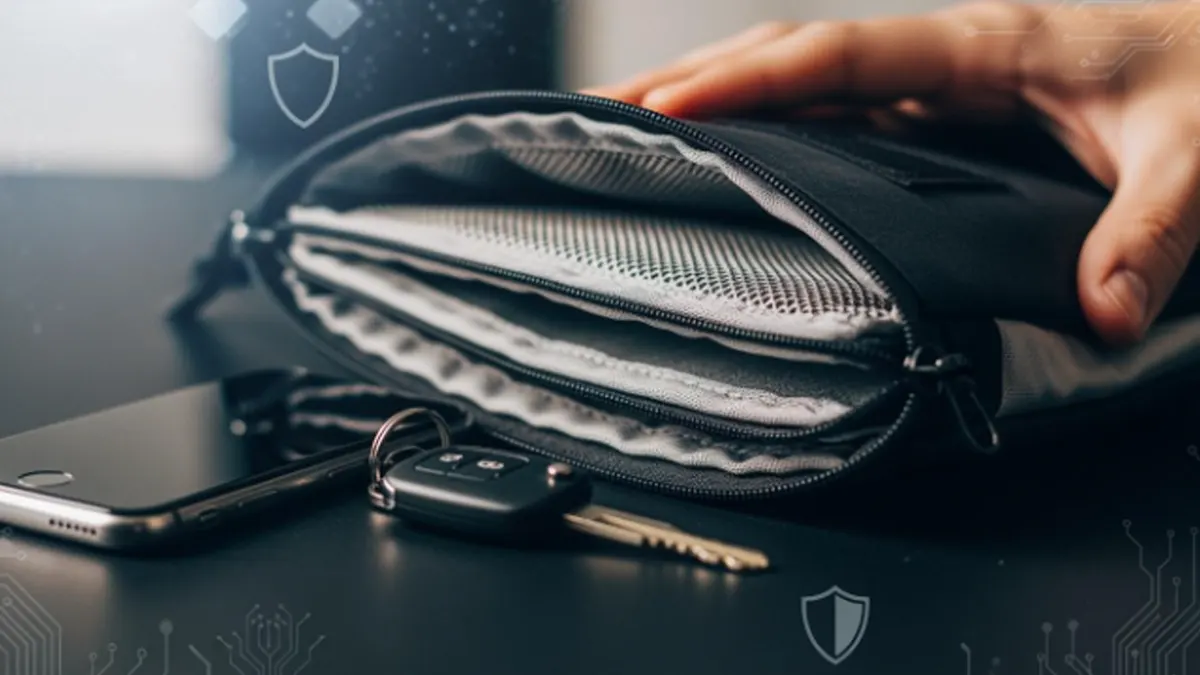
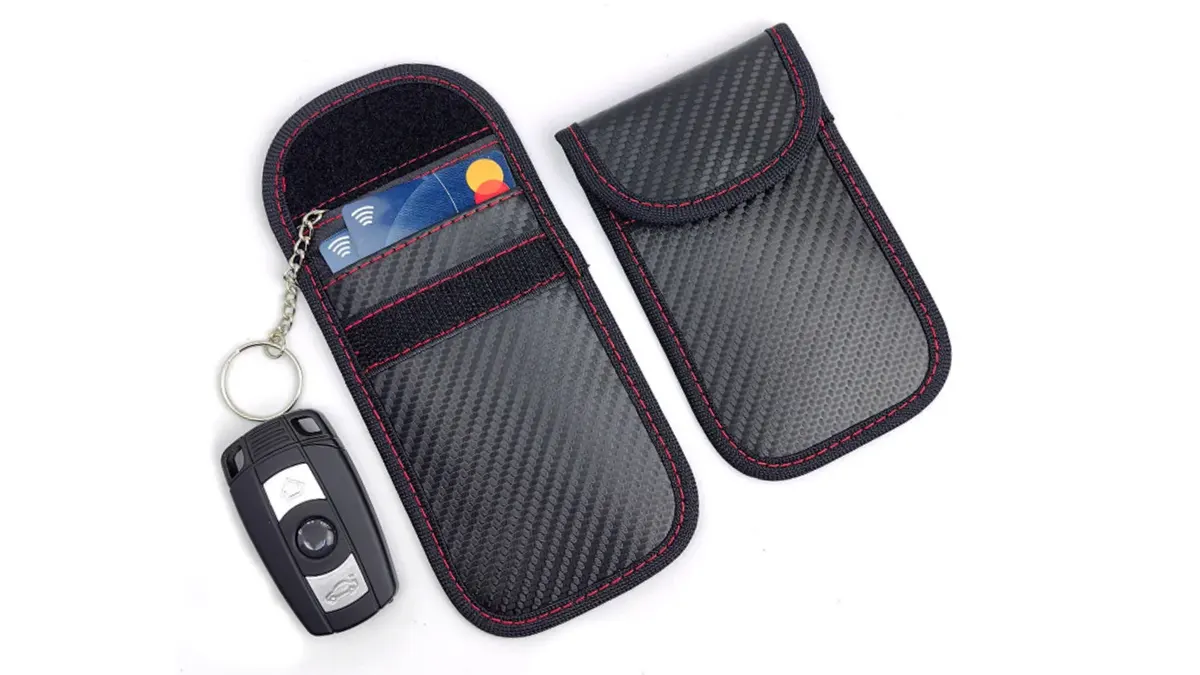
Smart anti-theft features include hidden or lockable zippers to stop thieves, cut-resistant panels to block slashing, RFID-blocking pockets to protect cards, and anchor loops to keep your bag safe in public.
You will find these security features in good laptop backpacks:
- Many pockets make it hard for thieves to grab your things.
- Hidden pockets are great for passports and wallets.
- Zippers you can lock or hide help keep your stuff safe.
- Quick pockets let you grab what you need fast.
If you want more safety, use locks or straps to secure your laptop when you travel. Always save and protect your important data. Some backpacks even let you track or lock them from far away.
| Security Feature | Benefit |
|---|---|
| Lockable Zippers | Stops quick theft attempts |
| RFID-Blocking Pocket | Protects cards and IDs |
| Cut-Resistant Panels | Prevents slashing |
| Anchor Loops | Secures bag in public places |
You should feel safe. The best laptop backpack keeps your device and personal things safe wherever you go.
Types of Laptop Backpacks
Slim and Minimalist
Do you want a bag that looks sharp and never feels bulky? A slim and minimalist laptop backpack might be the best choice for you. These backpacks have a clean look and a lightweight build. You will not find extra straps or too many pockets. Instead, you get just what you need for your daily routine. The best part is how easy they are to carry in crowded places or on public transit.
You will notice that these backpacks use premium materials. They often have weather-resistant fabric, so your laptop stays dry if it rains. The inside has just enough space for your device, a notebook, and maybe a charger. If you like a simple style and want to keep things light, this is the best type for you. Many people in cities pick this style because it fits their fast-paced life.
Tip: If you want a backpack that matches any outfit and keeps your load light, go for a slim and minimalist design.
Multi-Functional
Sometimes you need a bag that does more than just hold your laptop. Multi-functional laptop backpacks give you the best mix of features. You can use them for work, school, or even a weekend trip. These backpacks stand out because they have special pockets, strong materials, and smart designs.
Check out this table to see how multi-functional backpacks compare to standard ones:
| Feature | Multi-Functional Laptop Backpacks | Standard Backpacks |
|---|---|---|
| Shockproof Compartment | Yes | No |
| Quick-Access Features | Yes | Limited |
| Versatile Straps and Loops | Yes | No |
| Weather-Resistant Materials | Yes | Often No |
| Integrated Cable Management | Yes | No |
| Hidden Compartments for Valuables | Yes | Limited |
| Lockable Zippers | Yes | No |
| Modularity and Expansion | Yes | No |
You get the best protection for your laptop with shockproof compartments. Quick-access pockets help you grab your phone or keys fast. Some bags even let you add or remove parts, so you can change the size or shape. If you want a backpack that can do it all, this is the best option for you.
Travel-Friendly
If you travel a lot, you know how important it is to have the best backpack for the journey. A travel-friendly laptop backpack makes every trip easier. Frequent travelers say these features matter most:
- Secure laptop compartment with thick padding
- Durable and weather-resistant materials
- Ergonomic comfort with padded back panels and adjustable straps
- Organized storage with lots of pockets for passports, chargers, and snacks
- Tech-friendly design, like USB charging ports
You can move through airports or train stations with ease. The best travel backpacks keep your laptop safe and your hands free. You will find it easy to organize your things and stay comfortable, even on long trips.
Note: The best travel-friendly backpacks help you stay organized and protect your gear, no matter where you go.
Tech-Focused
Do you love gadgets? If you carry a lot of tech, you need a laptop backpack that keeps up with your busy, connected life. Tech-focused backpacks are made for people who want the best features for their devices. You get smart pockets, charging ports, and even built-in cables. These bags help you stay organized and ready for anything.
You might wonder what makes a tech-focused backpack different from a regular one. The answer is in the details. These backpacks have special spots for your laptop, tablet, phone, and even your headphones. Some even have a hard shell pocket to protect your sunglasses or earbuds. You can find USB charging ports on the outside, so you can charge your phone while you walk. That’s pretty cool, right?
Here are some features you will find in the best tech-focused backpacks:
- Padded laptop and tablet sleeves for extra safety
- Built-in USB charging ports for easy power on the go
- RFID-blocking pockets to keep your cards safe
- Cable management systems to stop cords from tangling
- Quick-access pockets for your phone or power bank
- Hard shell cases for fragile tech gear
You want to keep your devices safe and easy to reach. The best tech-focused backpacks use strong zippers and water-resistant fabric. Some even have anti-theft locks, so you can feel safe in crowded places. If you travel a lot, look for a backpack that opens flat for airport checks. This makes your trip smoother and faster.
Let’s compare some popular tech features in a table:
| Feature | Why It Matters |
|---|---|
| USB Charging Port | Charge your phone anywhere |
| RFID-Blocking Pocket | Protects your credit cards |
| Cable Management | No more tangled cords |
| Hard Shell Pocket | Keeps fragile items safe |
| Flat-Opening Design | Easy airport security checks |
You want the best backpack for your tech. Look for one that fits your laptop and has room for all your gadgets. The best choice will keep your devices safe, organized, and ready to use. If you love technology, a tech-focused backpack is the best way to carry your gear every day.
Tips for Finding the Best Laptop Backpack
Try Before You Buy
You want to make sure your backpack feels right before you buy it. If you can, visit a store and try on different bags. Put some weight inside to see how it feels on your shoulders and back. Walk around the store. Adjust the straps. Does the backpack sit high on your back? Does it feel too loose or too tight? The best fit should feel comfortable and not pull on your neck.
Check the zippers and pockets. Open and close them a few times. Make sure you can reach everything easily. If you carry a water bottle or umbrella, see if those items fit in the side pockets. The best way to know if a bag works for you is to test it in person.
Tip: Bring your laptop with you. Slide it into the laptop compartment to check the fit. Your device should not move around inside.
Read Reviews
You can learn a lot from other people’s experiences. Before you buy, read reviews online. Look for comments about comfort, durability, and how well the backpack protects a laptop. People often share if the straps break or if the zippers get stuck. They might mention if the bag feels heavy or if it keeps things organized.
Here’s a simple way to use reviews:
- Check for patterns. If many people say the same thing, it’s probably true.
- Look for photos. Real pictures show you what the backpack looks like after use.
- Read both good and bad reviews. This helps you see the best and worst parts.
Note: Some reviews talk about customer service. If a company helps people quickly, that’s a good sign.
Warranty and Returns
A good warranty gives you peace of mind. The best brands stand behind their products. Check if the backpack comes with a warranty. Some companies offer one year, while others give you a lifetime guarantee. If something breaks, you want to know you can get it fixed or replaced.
Look at the return policy, too. Sometimes a backpack feels different at home than in the store. Make sure you can return it if it doesn’t work for you. The best return policies let you try the bag for a few weeks.
| Brand | Warranty Length | Easy Returns? |
|---|---|---|
| Brand A | 1 year | Yes |
| Brand B | Lifetime | Yes |
| Brand C | 6 months | No |
Always keep your receipt and warranty card. You might need them if you have a problem later.
When you follow these tips, you can find the best laptop backpack for your needs. Try before you buy, read reviews, and check the warranty. These steps help you make the best choice and avoid surprises.
Budget Planning
You want to get the best value for your money when you shop for a laptop backpack. Setting a budget helps you narrow down your choices and avoid spending too much. Start by thinking about how often you will use your backpack. If you carry it every day, you might want to invest a little more for comfort and durability. If you only need it for occasional trips, you can look for something simple.
Make a list of features that matter most to you. Do you need extra padding? Are water-resistant materials important? Maybe you want a backpack with lots of pockets or a USB charging port. Write down your must-haves and nice-to-haves. This makes it easier to compare options and find the best match for your needs.
Here’s a simple way to plan your budget:
- Decide how much you want to spend.
- List the features you need.
- Check prices online or in stores.
- Compare different models.
- Read reviews to see if the backpack lasts and feels comfortable.
Tip: Sometimes, spending a little more gives you better quality and longer life. Cheap backpacks might save you money now, but they can wear out fast or fail to protect your laptop.
You can use a table to compare your top choices. This helps you see which backpack gives you the best value.
| Model Name | Price | Key Features | Rating | Warranty |
|---|---|---|---|---|
| Model A | $35 | Water-resistant, padded | 4.5 | 1 year |
| Model B | $60 | USB port, extra pockets | 4.7 | 2 years |
| Model C | $80 | Anti-theft, ergonomic straps | 4.8 | Lifetime |
Look for sales or discounts. Many stores offer deals during back-to-school season or holidays. You can also check for coupons online. If you find a backpack that fits your budget and has the best features, you can feel confident in your choice.
Don’t forget to think about the future. A backpack with strong materials and good stitching will last longer. You won’t need to buy a new one every year. The best laptop backpack is the one that fits your needs, feels comfortable, and stays in good shape.
Note: If you’re buying for a team or business, ask about bulk discounts or custom options. You might get the best deal by ordering several backpacks at once.
Budget planning helps you make smart choices. You get the best features without spending too much. Take your time, compare options, and pick the backpack that works for you.
Common Mistakes to Avoid
Wrong Size
Picking the wrong size is one of the most common mistakes you can make. You might see a cool backpack and grab it without checking if your laptop fits. If your device is too big or too small for the compartment, it can slide around or get scratched. Sometimes, you choose a bag that looks roomy, but it feels bulky and awkward when you wear it. The best way to avoid this problem is to measure your laptop before you shop. Check the product details for the exact compartment size. Try to find a backpack that holds your laptop snugly, with a padded sleeve for extra protection.
Tip: Always test the fit with your laptop before you buy. A good fit keeps your device safe and makes your day easier.
Ignoring Comfort
Comfort matters more than you think. You might focus on style or features and forget how the backpack feels on your back. If the straps are thin or the back panel is stiff, you could end up with sore shoulders or a sweaty back. The best backpacks use wide, padded straps and soft back panels. Adjustable straps let you change the fit for your body. When you ignore comfort, you might stop using your backpack or feel tired after a long day.
Here’s a quick table to help you spot the best comfort features:
| Feature | Why It Matters |
|---|---|
| Padded Straps | Less pressure on shoulders |
| Cushioned Back | Supports your back |
| Adjustable Straps | Custom fit for your body |
If you want the best experience, always try the backpack on before you buy. Walk around, adjust the straps, and see how it feels with some weight inside.
Poor Organization
Poor organization can turn your day upside down. You might toss everything into one big compartment and hope for the best. When you need your charger or pen, you end up digging through a pile of stuff. Some people put heavy items right next to their laptop, which can damage the screen. The best backpacks use smart layouts with separate pockets for accessories, documents, and snacks. A padded laptop sleeve keeps your device safe from bumps and scratches. Quick-access pockets help you grab your phone or keys fast.
- Not using a designated laptop compartment can expose your device to damage from other items.
- Overloading the backpack increases the risk of screen damage.
- Using a non-water-resistant backpack can lead to water damage.
You can avoid these problems by choosing a backpack with a padded laptop sleeve, keeping heavy items away from your device, and making sure your bag stays dry. The best organization features help you stay ready for anything, whether you’re heading to class, work, or a trip.
Note: The best laptop backpack keeps your gear organized, protected, and easy to reach.
Overlooking Security
You might think your bag is safe just because you keep it close. Many people forget about security when picking the best laptop backpack. Thieves look for easy targets. If your backpack has weak zippers or open pockets, you could lose your laptop or other valuables in seconds.
Let’s talk about what you can do to avoid this mistake. The best way to keep your things safe is to look for smart security features. Some backpacks have lockable zippers. Others use hidden pockets or cut-resistant fabric. These features make it much harder for someone to steal your stuff.
Here are some security features you should look for:
- Lockable zippers that let you add a small padlock
- Hidden pockets for your wallet or passport
- RFID-blocking compartments to protect your cards
- Cut-resistant straps or panels
- Strong, water-resistant fabric to keep out both thieves and rain
Tip: Always keep your most important items in a hidden pocket. Thieves often go for the easiest spot they can reach.
You want the best protection for your laptop and personal items. If you travel or use public transport, security becomes even more important. The best backpacks have anchor loops. You can use these to lock your bag to a chair or table when you sit down at a café or airport.
Check out this table to see how different security features help:
| Security Feature | What It Does | Why It Matters |
|---|---|---|
| Lockable Zippers | Stops quick theft attempts | Keeps your laptop safe |
| Hidden Pockets | Hides valuables from pickpockets | Protects your money and cards |
| RFID-Blocking | Blocks digital theft of card info | Stops identity theft |
| Cut-Resistant Fabric | Prevents bag slashing | Adds another layer of safety |
You want the best laptop backpack for your daily life. Don’t just focus on looks or price. Think about how well the backpack protects your things. The best choice keeps your laptop safe, your cards secure, and your mind at ease.
If you skip security features, you might regret it later. The best backpacks help you avoid stress and loss. Make security a top priority every time you shop for a new bag.
Conclusion
You want the best laptop backpack for your daily life. Start by thinking about your needs and how you use your gear. Focus on comfort, protection, and smart organization. Pick the best laptop bag that matches your style and keeps your tech safe. If your team or business needs backpacks, initi is here to help. As a professional backpack manufacturer, we provide full custom and wholesale OEM/ODM services—tailored designs, materials, features, and branding to match your needs. Contact initi to create the perfect backpacks for your organization.
FAQ
How do I know if my laptop will fit in the backpack?
Measure your laptop’s length and width. Check the backpack’s laptop compartment size in the product details. If you’re shopping in-store, bring your laptop and test the fit.
What features should I look for if I walk a lot?
Look for padded straps and a cushioned back panel. Choose a lightweight design. Water-resistant fabric helps if you get caught in the rain. Wide straps make carrying easier.
Can I wash my laptop backpack?
Most backpacks clean up with a damp cloth. Some allow gentle machine washing. Always check the care label first. Avoid soaking the padded areas or using harsh chemicals.
Are anti-theft features really necessary?
If you travel or use public transport, anti-theft features help protect your stuff. Lockable zippers, hidden pockets, and cut-resistant panels make your backpack safer.
What’s the best way to organize my accessories?
Use pockets for small items like chargers, pens, and cables. Keep your laptop in its padded sleeve. Try using zippered pouches for loose items. Quick-access pockets help you grab things fast.
Do laptop backpacks work for school and work?
Yes! Many backpacks fit both school and office needs. Look for a simple design, enough compartments, and a padded laptop sleeve. Neutral colors work for any setting.
How heavy should my laptop backpack be?
Try to keep your backpack under 15% of your body weight. A lighter bag feels better on your shoulders and back. Remove items you don’t need to avoid extra weight.
Can I use a laptop backpack for travel?
Absolutely! Pick a backpack with a secure laptop compartment, lots of pockets, and water-resistant material. Travel-friendly features like USB charging ports and quick-access pockets make trips easier.